Content creation is booming, and whether you are launching a YouTube channel, editing TikToks, or crafting cinematic reels for Instagram, you do not need an expensive subscription to produce professional-looking videos. The market for free video editors has evolved dramatically, offering robust, watermark-free software packed with features previously locked behind expensive paywalls.
This guide explores the best free video editing software for beginners and creators, breaking down their standout features, learning curves, and ideal use cases.
1. DaVinci Resolve (Free Version)
-
Best For: Advanced creators, color grading, and high-end cinematic projects.
-
Platforms: Windows, macOS, Linux
DaVinci Resolve is widely considered the industry standard for professional color grading and audio post-production, but its free version is an absolute powerhouse for independent creators. Unlike many other free editors, it does not add watermarks and imposes no artificial export time limits.
Key Features:
-
Hollywood-Grade Color Correction: Features the industry’s most advanced color grading and correction tools.
-
Fairlight Audio Suite: Professional-level audio editing and mixing directly inside the software.
-
Fusion Effects: Built-in node-based motion graphics and visual effects workspace.
-
Multi-cam Editing: Seamlessly sync and edit footage from multiple cameras.
The Learning Curve:
Steep. Because it is professional software, beginners may feel overwhelmed by the dense interface. However, countless free tutorials exist online, and the long-term payoff is immense for creators who want to grow their skills without switching software later.
2. CapCut (Desktop & Mobile)
-
Best For: Short-form content creators (TikTok, YouTube Shorts, Reels) and absolute beginners.
-
Platforms: Windows, macOS, Web, iOS, Android
CapCut has taken the creator economy by storm. Developed by the creators of TikTok, it is optimized for fast-paced social media editing with automated features that save hours of manual labor.
Key Features:
-
AI-Powered Tools: Auto-captions, text-to-speech, background removal, and smart tracking.
-
Rich Template Library: Trendy transitions, effects, filters, and music tracks built right in.
-
Keyframe Animation: Powerful control over scaling, rotation, and positioning for custom motion graphics.
-
Cross-Device Sync: Start a project on your phone and finish it on your desktop.
The Learning Curve:
Very gentle. The intuitive drag-and-drop interface allows anyone to make a polished video within minutes. Note: While the core software is free, some advanced AI features and specific cloud assets require a “Pro” subscription, but the free tier is more than enough for everyday creation.
3. Shotcut
-
Best For: Open-source enthusiasts and intermediate users who want a clean, no-frills editor.
-
Platforms: Windows, macOS, Linux
Shotcut is a completely free, open-source video editor that supports a massive range of video formats. It doesn’t try to lock you into a subscription ecosystem or push paid add-ons.
Key Features:
-
Native Timeline Editing: No tedious import or transcoding required; drop your clips straight onto the timeline.
-
Extensive Format Support: Powered by FFmpeg, it handles almost any audio or video codec imaginable.
-
Audio and Video Filters: Includes scopes, color wheels, HTML5-based titling, and spatial audio controls.
-
4K Resolution Support: Export high-resolution videos without watermarks.
The Learning Curve:
Moderate. The interface looks a bit traditional and utilitarian compared to modern sleek apps, but it is reliable, lightweight, and very stable on modest computer hardware.
4. Kdenlive
-
Best For: Open-source creators looking for robust multi-track editing without hardware limitations.
-
Platforms: Windows, macOS, Linux
Another incredible open-source option, Kdenlive (KDE Non-Linear Video Editor) punches well above its weight class. It strikes a great balance between beginner-friendly tools and advanced features like proxy editing for smoother playback on older computers.
Key Features:
-
Configurable Workspace: Move and customize panels to fit your exact workflow style.
-
Customizable Effects and Transitions: A massive library of color correction, blue-screen/chroma key, and audio adjustments.
-
Automatic Backup: Automatically saves project files every few minutes to prevent data loss.
-
Subtitling Tools: Built-in speech recognition and subtitle editing.
The Learning Curve:
Moderate. It has a standard multi-track timeline layout similar to Adobe Premiere Pro, making it easy to transition to if you ever upgrade down the line.
5. Clipchamp
-
Best For: Quick web-based edits, presentations, and absolute beginners on Windows.
-
Platforms: Web browser, Windows (pre-installed on Windows 11)
Clipchamp is Microsoft’s default video editor. Running primarily in the browser or as a lightweight app, it is designed for rapid assembly of social media videos, tutorials, and slideshows.
Key Features:
-
Stock Library Integration: Access to a vast library of royalty-free stock footage, audio, and graphics.
-
AI Voiceovers: Generate realistic voiceovers from text in multiple languages and accents.
-
Screen and Webcam Recorder: Excellent for creators making tutorials, reaction videos, or remote presentations.
-
Brand Kits: Save logos, custom fonts, and brand colors for consistent content creation.
The Learning Curve:
Very low. It is streamlined for speed and simplicity. Keep in mind that some stock assets and ultra-high-definition exports require a paid tier, but the standard free export options work seamlessly.
Choosing the Right Editor for You
-
If you make TikToks, Shorts, or Instagram Reels: Go with CapCut for its speed, auto-captions, and trending templates.
-
If you want a Hollywood-level career and total creative control: Invest your time in learning DaVinci Resolve.
-
If you want a lightweight, completely free desktop editor with no corporate strings attached: Try Shotcut or Kdenlive.
-
If you need to edit quickly on a browser without installing heavy software: Clipchamp is your best bet.
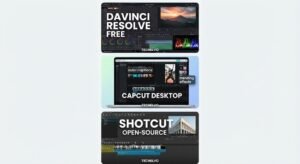
A comparison of the top free video editing software—DaVinci Resolve, CapCut Desktop, and Shotcut—featured on TechElvo.